
Give Organizers More Time
Registrations come in. Someone needs to send reminders, update the guest list, confirm volunteers, and make sure the room is ready. Then a schedule changes, and every person involved needs the new details. For nonprofits and schools with small teams or rotating volunteers, event logistics can quickly become a second job.
Automation can take recurring tasks off the team’s plate and reduce the chance of missed updates or manual errors. It should not make decisions about relationships or replace the human judgment needed when plans change. Those parts still belong to the people who know the community.
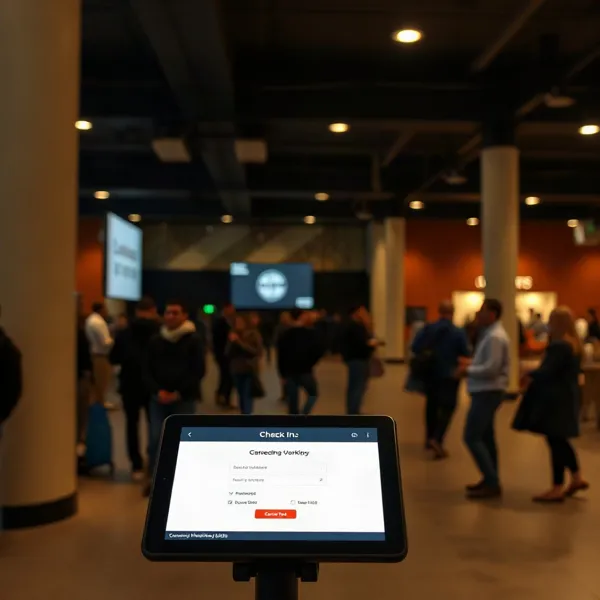
A practical system connects the work from planning through follow-up: organize event details, collect RSVPs, send useful SMS updates, check attendees in, and record what happened. Evant brings SMS RSVPs, event check-ins, targeted messaging, CRM integration, and analytics into workflows designed for nonprofit and educational organizations. That gives organizers less list-chasing to do, and more time to welcome people and handle the moments no automation can predict.
Start With the Event’s Purpose

Before choosing tools or building a schedule, get clear on what the event needs to accomplish. The answers guide practical decisions, from who receives an invitation to what information belongs on the RSVP form and how many staff or volunteers are needed.
What are the 5 W’s of event planning?
The 5 W’s are who, what, when, where, and why. Who identifies the audience and participants; what defines the format, activities, and goals; when sets a suitable date and time; where identifies the venue or online platform; and why explains the event’s purpose and value to attendees.
These answers make communication more useful. A family event, for example, may need different registration questions and arrival instructions than a volunteer training. Evant’s SMS RSVPs and check-ins can support those event-specific steps, while targeted messaging helps organizers share relevant details with participants.
What are the 5 C’s of event management?
The 5 C’s are concept, coordination, control, culmination, and closeout. Concept sets the purpose and audience; coordination organizes the schedule, budget, venue, and people; control means tracking progress and adjusting the plan. Culmination is the event itself, while closeout includes follow-up and reviewing results. Labels can vary, but the sequence offers a useful event management framework, from the first idea to lessons for next time.
A clear purpose also helps teams choose what to automate. Rather than adding technology for its own sake, identify recurring needs, such as collecting RSVPs or sending check-in details, then build workflows around them. Evant’s event analytics can help teams review participation and make informed choices for future events.
Map the Logistics Before Automating
Event logistics management is the practical work of turning an event plan into a sequence people can carry out. It covers the venue and setup, equipment, vendors, transportation, food and beverages, staffing, registration, and check-in. For a nonprofit or school team, it also means confirming capacity, accessibility, parking, permits, safety needs, and backup plans for critical services.
Start with the fixed event date and work backward. Give each task an owner and deadline, from confirming vendor arrival windows to training check-in staff. Build extra time into setup and load-in schedules so a delivery delay or technical issue does not immediately put the whole run of show behind.
Keep the working details together: schedules, vendor contacts, attendee counts, contracts, and checklists. When information lives in separate files and message threads, staff can miss updates or repeat work. Evant supports the attendee-communication side of this coordination with SMS RSVPs, check-in messages, targeted messaging, and analytics. A shared plan still needs named owners and a designated event lead who can make decisions when plans change.
Walk through the attendee journey, from parking and arrival to check-in, the event itself, and departure. This can reveal unclear directions, crowded entrances, or gaps in staffing before guests arrive. Clear staff roles help the team route each problem to the person who can address it.
Logistics continue after the event. Compare attendance with RSVPs, review feedback, reconcile expenses, and record what caused delays or worked well. Evant’s participation analytics can inform that review, while documented lessons help the team make the next event’s schedule, staffing, and attendee updates more useful.
Connect Repeatable Tasks in One Workflow

A registration is not an isolated task. It can start a sequence: confirm the guest, update the headcount, notify the right staff, and record arrival at check-in. Connecting those steps keeps teams from copying details between lists and inboxes.
For nonprofits and schools, Evant supports SMS RSVPs, targeted messaging, event check-ins, CRM integration, and analytics. Those tools can connect attendee communication with participation records, so organizers have a clearer view of who plans to come and who showed up.
A practical workflow can confirm new registrations, ask nonresponders for an RSVP, and send reminders only to people marked as attending. Current replies help staff plan capacity, food, supplies, and volunteer coverage. If someone reports an accessibility need or a schedule change affects a group, route that information to the person responsible rather than leaving it buried in a message thread.
Check-in records can update attendance during the event, while a post-event survey can gather feedback without a separate round of manual outreach. Keep staff involved when a reply needs judgment or an attendee needs help. Automation should handle routine steps, not sensitive exceptions.
A unified platform can reduce handoffs by keeping registration, messages, schedules, check-in, volunteer coordination, and reporting together. A modular setup, with specialist tools connected to existing systems, may fit a team’s current processes, but depends on integrations that are tested and maintained. Either way, designate one source of truth for attendee records. Conflicting lists can cause automation to send the wrong message or produce an inaccurate headcount.
Start with a recurring task that causes delays, such as chasing missing RSVPs. Test the entire workflow, including data transfers, message timing, and links, before launch. After the event, review replies and exceptions, then adjust rules that caused confusion. This approach complements broader event coordination workflows without automating every decision.
Make Text RSVPs Easy to Act On
A text RSVP should take less effort than finding an invitation in an inbox. Name the event, give a clear reply choice, and say who to contact with questions. For example: “Join us for the community dinner on Friday at 6 p.m. Reply YES to attend or NO if you can’t make it. Questions? Text Maya.”
Attendees can reply with a keyword such as YES or NO, or a short phrase like “I’m in.” An SMS platform can capture each response, update the guest’s status, and sync it with an event list or CRM. Evant supports SMS RSVPs and CRM integration, helping nonprofit and education teams keep participation information connected to their communication records.
A current response list makes follow-up more relevant. Send confirmations and event reminders to people who plan to attend, and reserve a brief follow-up for those who have not replied. A NO response can stop attendance reminders, while a released spot may be offered to someone on a waitlist. A text link can also let guests respond through a mobile page without installing an app.
Updated RSVP counts give organizers a clearer basis for planning seating, meals, supplies, and capacity. Before sending bulk texts, get recipients’ permission, identify the organization in each message, include opt-out instructions, and honor opt-out requests. For a simple invitation structure, see this text RSVP invitation guide.
Schedule Messages Around Attendee Needs

A useful event text arrives when someone needs to act, not simply because a message is due. Organizations can automate SMS by scheduling messages around the event date or triggering them when someone registers, replies to an RSVP request, or checks in. For Evant, SMS RSVPs, targeted messaging, check-ins, and analytics connect attendee communication with participation activity.
Build a sequence that covers the invitation, RSVP confirmation, reminders, event-day information, and a thank-you or feedback request afterward. A confirmation can include the event time, venue, directions, and a calendar link. A check-in trigger might send entry instructions, while a schedule-change text can alert affected attendees. For a virtual gathering, the day-of message could contain a livestream link.
Use RSVP status and other relevant registration details to decide who receives each message. Send attendance reminders only to people who plan to attend, and tailor instructions for groups such as volunteers or families when their needs differ. A reply that changes someone’s status should update the workflow so they do not keep receiving irrelevant reminders. See automated workflows across the event lifecycle for how messages can fit together.
Keep each text concise and focused on one action. Set reasonable sending hours for recipients’ time zones, obtain permission before sending, and honor opt-outs. Test the full sequence before launch, including replies and status changes, so a rule does not send the wrong message to the wrong group.
Afterward, review delivery, replies, RSVP changes, and attendance data to see where communication helped or where participants still needed information. Use those observations to adjust timing and message content for the next event. Automation should handle routine reminders, while staff make the call on sensitive situations, unexpected changes, and technical problems.
Choose Software That Fits the Team
A platform should fit the people running the event, not just the feature list. A small community gathering and a hybrid fundraiser have different needs, budgets, and staffing demands. Start with the event format, the team’s technical comfort, and the tasks that need support now.
Check whether the system covers registration and ticketing, custom forms, guest lists, mobile check-in, payment processing, reporting, and integrations with your CRM and other tools. SMS RSVP tracking can also help staff follow attendance changes and send relevant updates. Evant focuses on SMS RSVPs, event check-ins, targeted messaging, CRM integration, and analytics for nonprofits and educational organizations.
A ticketing tool may handle sales and attendee lists, while broader event-management software can also support volunteer coordination, event-day tasks, communications, and follow-up. For virtual or hybrid events, confirm that registration and attendee information move reliably between the event platform, communication tools, and any systems used for online participation.
Compare the full cost, not only the advertised price. Ask about transaction fees, onboarding, support, attendee limits, and charges for features your team may need later. Avoid paying for complex functions that do not serve your events, but check whether the platform can accommodate likely growth. Verify current pricing, features, integrations, and terms directly with providers.
Ease of use matters when staff and volunteers share the work. Invite them to a demonstration, try registration on a phone, and test check-in before choosing. Confirm what support is available, how attendee data is protected, how consent is recorded, and whether people can opt out of texts. For a focused comparison of SMS platforms, see software options for event text updates.
Keep Contact History With Event Messages
An event message is more useful when staff can see who received it and what happened next. A CRM with built-in SMS can send confirmations, reminders, schedule changes, and follow-ups to relevant contacts without exporting lists or switching platforms. For nonprofits and schools, Evant combines SMS RSVPs, check-ins, targeted messaging, CRM integration, and analytics around community events.
Registration and attendance can serve as workflow triggers. When someone RSVPs or checks in, the event record can be added to that person’s contact history, alongside replies and other engagement. Staff can then distinguish people who attended from those who could not make it, and plan follow-up with more context.
Audience segments also make messages more relevant. Attendees may need arrival details, while volunteers need shift instructions and families may need a schedule update. Evant’s targeted messaging supports communicating with selected groups rather than sending every update to the entire contact list.
Before choosing a system, confirm that it synchronizes RSVP and check-in records with the CRM your organization already uses. Check how it stores consent, handles opt-outs, limits staff access, and reports delivery and participation. An integrated workflow is only useful when contact records stay accurate and communication follows people’s preferences.
For a closer look at how event texts can remain connected to contact records, see CRM integration for event messaging.
Automate the Routine, Keep the Human Touch
Automation works best when it gives a small team more room to welcome people, answer questions, and build community, rather than adding another system to manage. Connecting SMS RSVPs, check-ins, targeted messages, and participation data in Evant can keep routine attendee coordination from becoming a chain of manual updates.
A practical sequence is simple: define the event’s purpose, assign logistics, connect registration to communications, test each workflow, and watch for exceptions. Afterward, use attendance and response patterns to improve the next gathering. Evant’s analytics can help organizations review participation alongside event communications.
Tools alone do not make an event successful. Clear processes, permission-based messaging, and staff ready to respond when plans change still matter. Automate repeatable steps, then leave people responsible for the moments that need judgment and care.